$ sudo apt-get install -y apache2
$ apachectl -v
Server version: Apache/2.4.25 (Debian)
Server built: 2018-11-03T18:46:19
浏览器地址栏输入localhost,显示It works!界面
查看apache2状态
 1
 2
 3
 4
 5
 6
 7
 8
 9
10
11
12
13
14
15
$ service apache2 status
● apache2.service - The Apache HTTP Server
Loaded: loaded (/lib/systemd/system/apache2.service; enabled; vendor preset:
Active: active (running) since Thu 2019-03-14 09:48:04 CST; 2min 31s ago
Main PID: 2788(apache2)
Tasks: 55(limit: 4915)
CGroup: /system.slice/apache2.service
├─2788 /usr/sbin/apache2 -k start
├─2869 /usr/sbin/apache2 -k start
└─2870 /usr/sbin/apache2 -k start
3月 14 09:47:48 raspberry systemd[1]: Starting The Apache HTTP Server...
3月 14 09:48:04 raspberry apachectl[2709]: AH00558: apache2: Could not reliably d
3月 14 09:48:04 raspberry systemd[1]: Started The Apache HTTP Server.
lines 1-13/13 (END)
mariadb
以下两条命令没什么区别,安装的软件包数量和名称都一样
1
2
3
4
$ sudo apt-get install -y mariadb-server # 或下面这条,执行任一句即可
$ sudo apt-get install -y mysql-server mysql-client
$ mysql -V
mysql Ver 15.1 Distrib 10.1.37-MariaDB, for debian-linux-gnu (i686) using readline 5.2
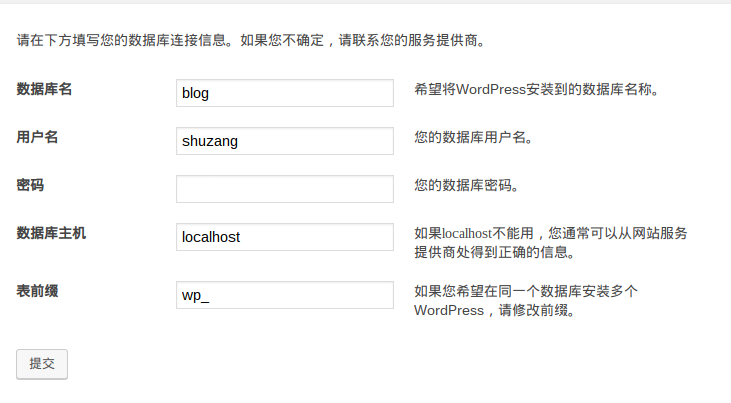
进入数据库设置密码,新建用户,授予权限
1
2
3
4
5
6
$ sudo mysql -u root -p #按回车键输入密码
> create user 'shuzang'@'localhost' identified by '2427';#按回车键
> grant all privileges on *.* to 'shuzang'@'localhost';#给权限
> flush privileges;# 刷新权限
> show grants for'shuzang'@'localhost';#查看用户权限
> exit;